How can you improve your data management skills?

A range of training courses on research data management (RDM) in the form of half-day courses and seminars have been created to help you with research data management issues, and are now available for booking on the MyEd booking system:

  • Research Data Management Programme at the University of Edinburgh
  • Good practice in research data management
  • Creating a data management plan for your grant application
  • Handling data using SPSS (based on the MANTRA module)
  • Handling data with ArcGIS (based on the MANTRA module)

RDM trainingThese courses and seminars aim to equip researchers, postgraduate research students and research support staff with a grounded understanding in data management issues and data handling.

If you manage research data, provide support for research, or are interested in finding out more about efficient and effective ways of managing your research data these course will be for you.

For detailed information about these courses please go to: http://www.ed.ac.uk/schools-departments/information-services/research-support/data-management/rdm-training

We are also happy to arrange tailored sessions for researchers and research support staff in aspects of research data management from planning through to depositing.  Please contact us at IS.Helpline@ed.ac.uk if you would like to arrange a training session.

Cuna Ekmekcioglu
Senior Research Data Officer
Library & University Collections, IS

New faces at the Data Library

We are pleased to introduce two new staff members who have joined the Data Library team.

Laine Ruus has taken up a six-month post as Assistant Data Librarian, helping out during Stuart Macdonald’s productive secondment at CISER, Cornell University. Laine has worked in data management and services since 1974, at the University of British Columbia, Svensk Nationell Datatjänst, and the University of Toronto. Laine was Secretary of IASSIST for eighteen years. She received the IASSIST Achievement award upon her retirement from the University of Toronto in 2010 and the ICPSR Flanigan Award in 2011.

She is perhaps best known for “ABSM: a selected bibliography concerning the ‘Abominable Snowman’, the Yeti, the Sasquatch, and related hominidae, pp. 316-334 in Manlike monsters on trial: early records and modern evidence, edited by Marjorie M. Halpin and Michael M. Ames. Vancouver: University of British Columbia Press, 1980.”

Pauline Ward, Data Library Assistant, will be contributing to the Data Library and Edinburgh DataShare services for University of Edinburgh students and staff, and helping to deliver new research data management services and training as part of the wider RDM programme. Pauline has a bioinformatics background, and has worked in a variety of roles from curation of the EMBL database at the European Bioinformatics Institute in Hinxton to database development (with Oracle, MySQL, Perl and Java) and sequence analysis at the Wellcome Trust Centre for Molecular Parasitology in Glasgow. She also worked more recently as a Policy Assistant at Universities Scotland.

Pauline said: “It’s great to be back in academia. I am really chuffed to be working to help researchers share their data and make the best use of others’ data. I’m really enjoying it.”

You can follow Pauline on twitter at @PaulineDataWard or check out her previous publications.

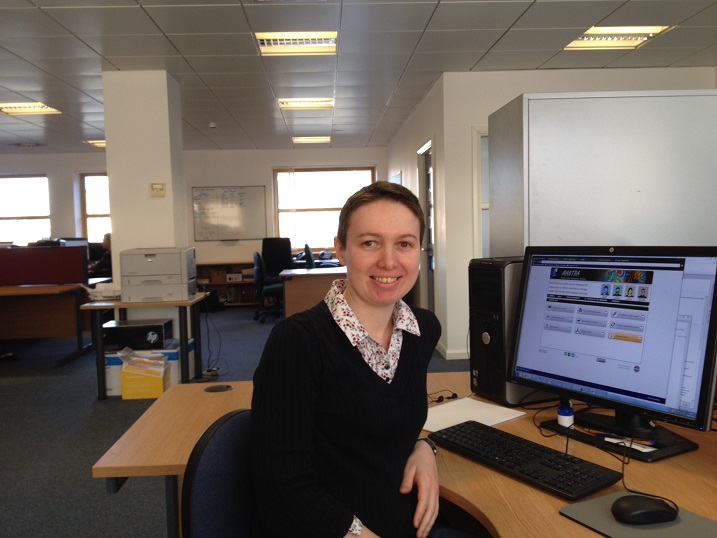
Pauline at her desk in the EDINA offices, Edinburgh

by Robin Rice and Pauline Ward
Data Library

New Data Curation Profiles: Edinburgh College of Art

Jane Furness, Academic Support Librarian, Edinburgh College of Art, has contributed two new data curation profiles to the DIY RDM Training Kit for Librarians on the MANTRA website. One data curation profile for Dr Angela McClanahan, and another data curation profile for Ed Hollis. Jane was one of eight librarians at the University of Edinburgh to take part in local data management training.

Jane has profiled data-related work by Dr Angela McClanahan, Lecturer in Visual Culture at the School of Art, Edinburgh College of Art. In the interview Angela discusses the importance of research data management, anonymisation and sharing, long term access to data, and the need to reconsider the term ‘data’ in an arts research context.

Jane has profiled data-related work by Ed Hollis, Deputy Director of Research, Edinburgh College of Art. In the interview Ed discusses the different data owners, rights and formats involved in researching and publishing a book, copyright issues of sharing data and the issue of referring to research materials as ‘data’ in the arts research context.

SCAPE workshop (notes, part 2)

Drawing on my notes from the SCAPE (Scalable Preservation Environments) workshop I attended last year, here is a summary of the presentation delivered by Peter May (BL) and the activities that were introduced during the hands-on training session.

Peter May (British Library)

To contextualise the activities and the tools we used during the workshop, Peter May presented a case study from the British Library (BL). The BL is a legal deposit archive that among many other resources archives newspapers. This type of item (newspaper) is one of the most brittle in their archive, because it is very sensitive and prone to disintegrate even in optimal preservation conditions (humidity and light controlled environment). With support from Jisc (2007, 2009) and through their current partnership with brightsolid, the BL has been digitising this part of the collection, at a current digitisation rate of about 8000 scans per day.

BL’s main concern is how to ensure long term preservation and access to the newspaper collection, and how to make digitisation processes cost effective (larger files require more storage space, so less storage needed per file means more digitised objects). As part of the digitisation projects, BL had to reflect on:

  • How would the end-user want to engage with the digitised objects?
  • What file format would suit all those potential uses?
  • How will the collection be displayed online?
  • How to ensure smooth network access to the collection?

As an end-user, you might want to browse thumbnails in the newspaper collection, or you might want to zoom in and read through the text. In order to have the flexibility to display images at different resolutions when required, the BL has to scan the newspapers at high resolution. JPEG2000 has proved to be the most flexible format for displaying images at different resolutions (thumbnails, whole images, image tiles). The BL investigated how to migrate from TIFF to JPEG2000 format to enable this flexibility in access, as well as to reduce the size of files, and thereby the cost of storage and preservation management. A JPEG2000 file is normally half the size of a TIFF file.

At this stage, the SCAPE workflow comes into play. In order to ensure that it was safe to delete the original TIFF files after the migration into JPEG2000, the BL team needed to make quality checks across all the millions of files they were migrating.

For the SCAPE work at the BL, Peter May and the team tested a number of tools and created a workflow to migrate files and perform quality checks. For the migration process they tested codecs such as kakadu and openJPEG, and for checking the integrity of the JPEG2000 and how the format complied with institutional policies and preservation needs, they used Jpylyzer. Other tools such as Matchbox (for image feature analysis and duplication identification) or exifTool (an image metadata extractor, that can be used to find out details about the provenance of the file and later on to compare metadata after migration) were tested within the SCAPE project at the BL. To ensure the success of the migration process, the BL developed their in-house code to compare, at scale, the different outputs of the above mentioned tools.

Peter May’s presentation slides can be found on the Open Planets Foundation wiki.

Hands-on training session

After Peter May’s presentation, the SCAPE workshop team guided us through an activity in which we checked if original TIFFs had migrated to JPEG2000s successfully. For this we used the TIFF compare command (tiffcmp). We first migrated from TIFF to JPEG2000 and then converted JPEG2000 back into TIFF. In both migrations we used tiffcmp to check (bit by bit) if the file had been corrupted (bitstream comparison to check fixity), and if the compression and decompression processes were reliable.

The intention of the exercise was to show the process of migration at small scale. However, when digital preservation tasks (migration, compression, validation, metadata extraction, comparison) have to be applied to thousands of files, a single processor would take a lot of time to run the tasks, and for that reason parallelisation is a good idea. SCAPE has been working on parallelisation and how to divide tasks using computational nodes to deal with big loads of data all at once.

SCAPE uses Taverna workbench to create tailored workflows. To run a preservation workflow you do not need Taverna, because many of the tools that can be incorporated into Taverna can be used as standalone tools such as FITS, a File Information Tool Set that “identifies, validates, and extracts technical metadata for various file formats”. However, Taverna offers a good solution for digital preservation workflows, since you can create a workflow that includes all the tools that you need. The ideal use of Taverna in digital preservation is to choose different tools at different stages of the workflow, depending on the digital preservation requirements of your data.

Related links:

http://openplanetsfoundation.org/
http://wiki.opf-labs.org/display/SP/Home
http://www.myExperiment.org/